 SaveNest
A handover has two machines and three checkpoints
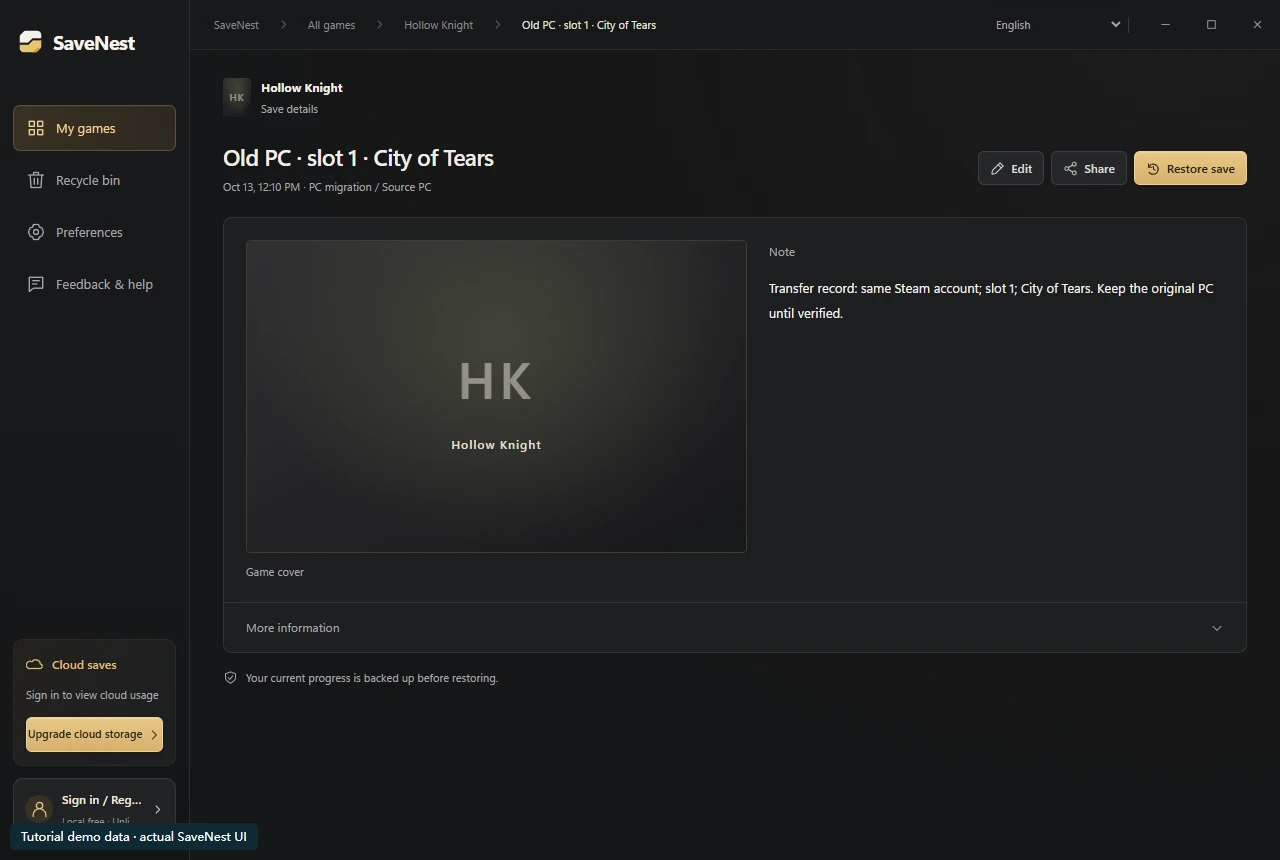
On the old PC, record the game store, account, installed DLC and the save slot you intend to continue. Export or copy the retained save to a separate transfer location. Do not reset the old PC yet. The example records Hollow Knight slot 1 at City of Tears so that the destination has a concrete target to verify.
On the new PC, install the matching game and create a disposable initial save under the intended account. Quit the game and locate the directory that was actually created. Keep this initial state separately before restoring. A download in the backup library is still only a backup; it is not automatically the live save the game reads.
Check compatibility before transfer
Check store and edition, installed version and DLC, player account, and any mods that affect save data. A matching game title alone is not evidence of compatibility. Console, Windows store-container and Steam formats may require different procedures.
Write these details beside the source backup. Do not rename account folders or alter embedded identifiers to force a transfer. If the game requires an account-bound format, check its official migration support before touching the destination.
Choose cloud or an independent copy
SaveNest cloud is useful when both Windows devices use the same SaveNest account and have available cloud access. Source and destination still need a matching configured game. Keep the source local version after uploading so you can still restore if the network is unavailable.
For a manual transfer, copy the complete documented save set to separate media, preserve its folder structure and follow the game’s restoration instructions at the destination. An exported backup package and a raw game save folder are different formats; do not drop arbitrary archives into the game’s live directory.
Scroll the table sideways on small screens.
| Method | Use it when | Check before continuing |
|---|---|---|
| Game / launcher cloud sync | This edition supports save sync for the intended account and platforms. | Confirm the source uploaded and the destination loaded the intended progress. |
| Manual copy | The game documents a compatible, complete save set you can copy. | Preserve the destination, keep the documented folder structure and verify the slot. |
| SaveNest cloud | Both Windows devices have the same account, cloud access and a configured game. | Download the selected version into history, then restore and check it separately. |
Does Steam local network transfer include save files?
No. Valve states that Steam local network game transfers copy original installation content, not local saves, configuration files or Steam Cloud files. A completed game installation on the new PC does not prove that character progress moved too.
Keep save migration as a separate check: confirm supported cloud synchronization or preserve and transfer the documented save set. If the old PC holds the only good copy, retain it until the intended progress loads on the new PC.
Understand download versus restore
Download publishes a checked version into SaveNest history. Restore is the separate action that changes the live game files. This gives you time to inspect the device, account and capture time before making a replacement.
If both PCs have different progress worth keeping, retain both. Label the source and destination states before transfer, then inspect the actual restore scope. Cloud transfer integrity does not establish game-format compatibility or merge two playthroughs.
When it is safe to retire the old PC
Check the character or slot, inventory and one recent quest or location. Then make a small new save, quit and relaunch. This confirms both the imported state and the new PC’s ability to keep later progress. Retain an independent copy even after the old PC is retired.
Common questions
Can I transfer between different game accounts?
Do not assume so. Account-bound saves may be incompatible. This workflow assumes compatible editions and the intended player account.
Will a cloud download replace PC B’s progress?
SaveNest downloads into history. You choose Restore separately, after protecting the existing state and reviewing scope.
Can I delete the source after uploading?
Retain it until the intended version has been downloaded, loaded and checked on the destination. An upload result alone is not an end-to-end migration check.
References & further reading
Game locations and sync behavior can change. Check the instructions for your edition.